 Airnode Hosting
Linux VPS
Install Pterodactyl Panel
Easiest way to professionally install the Pterodactyl Panel on a VPS.
Need help logging in with SSH?
If you don't know how to log in to your VPS with SSH, see our SSH Access Guide first.
- Open your SSH client and log in to your VPS as
root. - In the SSH terminal, run:
sudo apt install curl- After installing curl, run:
bash <(curl -s https://airnode.nl/ptero-installatie/install.sh)- When asked, enter what you want to install.
Usually, choose the Panel and Wings by typing
2and pressing Enter.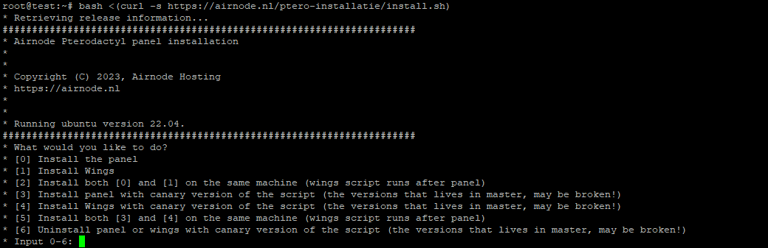
- During installation, you will be asked for:
- Your email address
- A password you want to use
- The FQDN (domain). If you do not have a domain, enter your VPS IP address.
- Follow the prompts until the installation is finished.
- After setup, you can access the panel at your domain or VPS IP in your web browser.
Success
You have successfully installed the Pterodactyl Panel!