 Airnode Hosting
Linux VPS
SFTP Access
Warning
You need an SFTP client for this guide. We use WinSCP.
- Download and install WinSCP.
- Open WinSCP after installation.
Where to Find Your Details
The host, username, and root password are in the email you received after buying your VPS.
- In WinSCP, fill in:
- Host name: your VPS IP address
- Username:
root - Password: your root password
- Port number:
22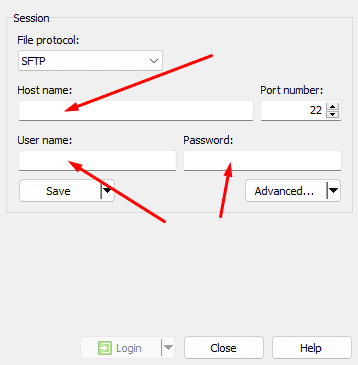
- Click Save to store your session for easy access next time.
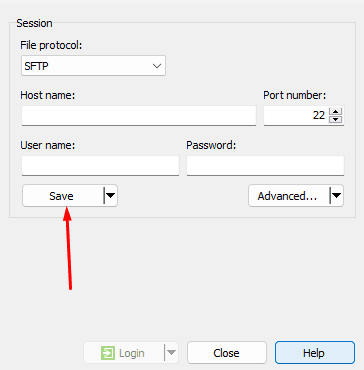
- Double-click your saved session or click Login to connect.
- You can now manage your server files using SFTP!
Success
You should now be able to manage your server via SFTP! If you need help, our staff is ready to assist: Contact us.